
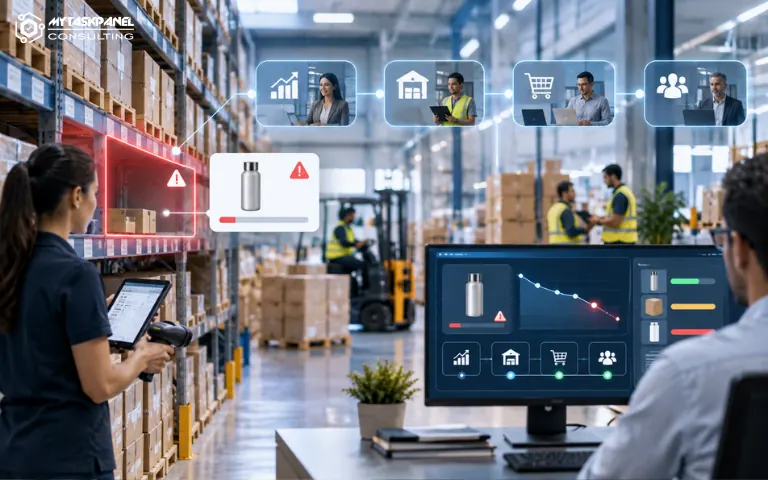
In many companies, stock management does not fail because information is unavailable. It fails because that information arrives too late, is spread across several systems, or depends on manual reviews.
Sales works with one forecast. The warehouse operates with a different reality. Purchasing receives warnings when the problem is already urgent. And management only sees the impact when delays, incomplete orders, or emergency replenishment costs appear.
This case shows how a distribution company improved inventory control through an automation designed to connect data, generate alerts, and support earlier operational decisions.
The starting point: stock control with too many manual tasks
The company managed a broad product catalog, with different turnover levels, multiple suppliers, and orders coming from several sales channels.
The team had enough information to make better decisions, but that information was scattered across the ERP, spreadsheets, internal emails, and manually exported reports.
Every week, the operations team had to review inventory levels, identify products below the minimum threshold, check pending orders, verify supplier lead times, and notify the purchasing team. The process worked, but it depended too heavily on human review.
When order volume increased, several problems appeared:
- Stockouts detected too late.
- Urgent purchases with less room for negotiation.
- Overstocked products due to lack of visibility.
- Differences between actual stock and stock available for sale.
- Delays in communication between sales, warehouse, and purchasing.
- Manual reports that consumed hours every week.
The problem was not only operational. It also affected profitability, customer experience, and planning capacity.
The objective: anticipate needs before the problem reached the customer
The company needed to connect the information it already had more effectively. The goal of the project was to create an automated workflow capable of reviewing key inventory data, detecting risk situations, and triggering alerts before the team had to intervene urgently.
The solution had to meet several requirements:
- Keep the ERP as the main system.
- Avoid forcing the team to work with a new and complex tool.
- Connect information from sales, warehouse, and purchasing.
- Generate clear and actionable alerts.
- Prioritize critical products based on turnover, margin, or commercial impact.
- Maintain traceability of the decisions and alerts generated.
The key was not to automate for the sake of automation, but to reduce the margin for error and give teams visibility before stock became a bottleneck.
The solution: an automated workflow to review stock, orders, and replenishment
MyTaskPanel Consulting designed a business automation tailored to the company’s actual way of working.
The workflow connected the main sources of information and carried out regular checks on products, orders, and inventory levels.
1. Centralization of relevant data
The first step was to integrate the information required to gain a more complete view of inventory.
The system collected data such as:
- Current stock.
- Defined minimum stock.
- Pending orders to be fulfilled.
- Recent sales.
- Estimated supplier lead times.
- High-turnover products.
- Items that were strategic for specific customers.
- Purchase orders already issued.
This centralization eliminated the need for manual cross-checks between several tools.
2. Automatic detection of products at risk
Once the data sources were connected, the automation analyzed which products could fall below the safety threshold. However, not all products were treated in the same way.
The solution made it possible to apply rules according to the importance of each item. For example, a high-turnover product or one linked to strategic customers could trigger an alert earlier than a lower-priority item.
Confirmed orders were also taken into account. This meant the system reviewed both current stock and committed stock. This distinction was essential: an item could appear to be available in the warehouse while already being allocated to pending orders.
3. Alerts for purchasing, warehouse, and management
When the system detected a risk situation, it generated an automatic alert with the information needed to act.
The alert did not simply say “stock is running low.” It included context:
- Affected product.
- Current inventory level.
- Pending orders.
- Recent consumption.
- Estimated replenishment lead time.
- Alert priority.
- Recommended action.
Depending on the case, the alert could be sent to the purchasing team, operations, or management. This reduced internal emails, repeated checks, and decisions based on incomplete information.
4. Prioritization of purchases and replenishment
One of the main benefits was the shift from reactive management to prioritized management.
Previously, many replenishment decisions were made when someone manually detected a shortage. With automation, the team could see which items required attention before the situation became urgent.
The solution helped distinguish between products requiring immediate action and those that only needed monitoring. This gave the purchasing team more time to negotiate, consolidate orders when appropriate, and avoid rushed purchases.
5. Management monitoring reports
In addition to operational alerts, periodic reports were designed for management.
These reports made it possible to visualize:
- Products with the highest number of stock incidents.
- Categories with the greatest risk of stockouts.
- Trends in critical products.
- Alerts generated and resolved.
- Cases where replenishment arrived too late.
- Products with potential overstock.
The objective was to prevent management from having to wait for a commercial problem to appear before understanding what was happening operationally. The automation added a layer of visibility that previously depended on manual reports or occasional meetings.
The results: fewer urgencies and greater operational control
After implementation, the company reduced the manual workload associated with inventory reviews and improved coordination between departments.
The operations team no longer spent as many hours checking scattered data. Purchasing began receiving clearer alerts with more advance notice. Sales gained a more realistic view of the availability of certain products.
The main results were:
- Fewer unexpected stockouts.
- Fewer urgent purchases.
- Greater traceability of critical products.
- Fewer errors caused by manual spreadsheets.
- Better coordination between sales, warehouse, and purchasing.
- Greater visibility for management into operational risks.
- Greater capacity to plan replenishment in advance.
The improvement came from automating alerts and turning scattered data into actionable information.
Key learnings from the project
This case shows that business automation does not always have to begin with major transformations. Sometimes, the greatest impact comes from connecting everyday processes that already exist but still depend on people, emails, and manual reviews.
It also shows that stock control is not only a warehouse issue. It affects sales, purchasing, finance, customer service, and management. When information arrives late, the company loses room to react. When it arrives on time and with the right context, the company can make better decisions.
Stock control automation makes it possible to anticipate risks, reduce errors, and improve coordination between teams. In this case, a distribution company moved from a manual and reactive approach to a system with greater visibility, better structure, and more capacity to support growth.
At MyTaskPanel Consulting, we design custom business automations that connect systems, data, and teams so operational decisions can be made earlier and with more context. Is your company still reviewing stock, orders, or replenishment manually? Contact us and we’ll explore how to automate your processes to gain visibility, control, and efficiency.


